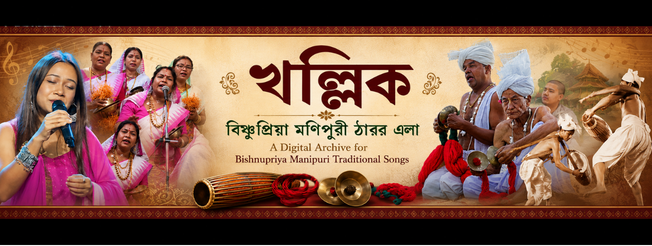
Welcome to the Archive!
Discover, organize, and share the rich musical heritage of the Bishnupriya Manipuri community. Here is a quick guide on how to get the most out of the platform.
🎧 1. Listening & Browsing
- Continuous Player: When you click "▶ Play", the song loads into the audio player at the bottom of the screen. It keeps playing continuously even as you browse!
- Global Live Search: Use the search bar in the header to find tracks instantly. It features a live dropdown preview supporting both English and Bishnupriya Manipuri (BPY) keywords.
- Dual-Language Support: Song titles, artists, albums, and genres display native BPY script alongside English for enhanced community authenticity.
- Explore by Tags & Genres: Click any #hashtag or genre link to instantly find related traditional or modern tracks.
🎛️ 2. Advanced Player Features
- Playback Speed Controls: Perfect for learning lyrics or studying melodies! Adjust playback speed instantly using the speed toolbar (0.75x, 1.0x, 1.25x, 1.5x) right in the audio player bar.
- Shuffle (🔀) & Repeat (🔁): Toggle shuffle to randomize your listening queue or enable repeat mode for continuous playback.
- 🎲 Random Song Discovery: Click "🎲 Random Song" in the navigation menu at any time to jump to a completely random track in the archive.
👤 3. Unlock Features with an Account
While anyone can listen to music, creating a free account unlocks full community features:
- ★ Favorites: Save songs to your personal Favorites list for instant access.
- Rate & Comment: Leave 1–5 star ratings and share thoughts in the comments with support for threaded replies.
- System-Synced Theme Toggle: The archive automatically detects your operating system's light or dark mode preference on your first visit! You can also manually toggle themes anytime using the switch in the header.
💽 4. Building Playlists & Share Cards
- Create a Mix: Click "➕ Add to Playlist" on any song to organize tracks into your custom playlists.
- Play All: Head to "🎧 My Playlists" and click "▶ Play All" to queue up an entire playlist.
- 🎨 Shareable Song Cards: On any song detail page, click the "Share Card" button to preview and copy a gorgeous graphic card containing the song title, artist, and lyrics snippet to share on WhatsApp or social media!
- Public Sharing: Make any playlist public to generate a secure shareable link so friends can listen even without an account.
🚀 5. Latest Upgrades & Power Tools
- ⌨️ Keyboard Shortcuts: Control the audio player seamlessly on desktop! Press Spacebar to Play/Pause, and Right/Left Arrow Keys to skip tracks (automatically ignored when typing in search bars or comments).
- 🕒 Recently Played History: Click the "🕒 History" button in the navigation bar to pull up a slide-out drawer containing the last 10 tracks you listened to during your session.
- 🖼️ Artist & Album Avatars: Browse singer and album directories with visual profile photos or sleek gradient initial badges.
- 💻 Embed Code Generator: Visit any song detail page and click "💻 Embed" to copy an HTML iframe snippet to easily share individual track players on external blogs or websites.